

Key Takeaways
Our Verdict
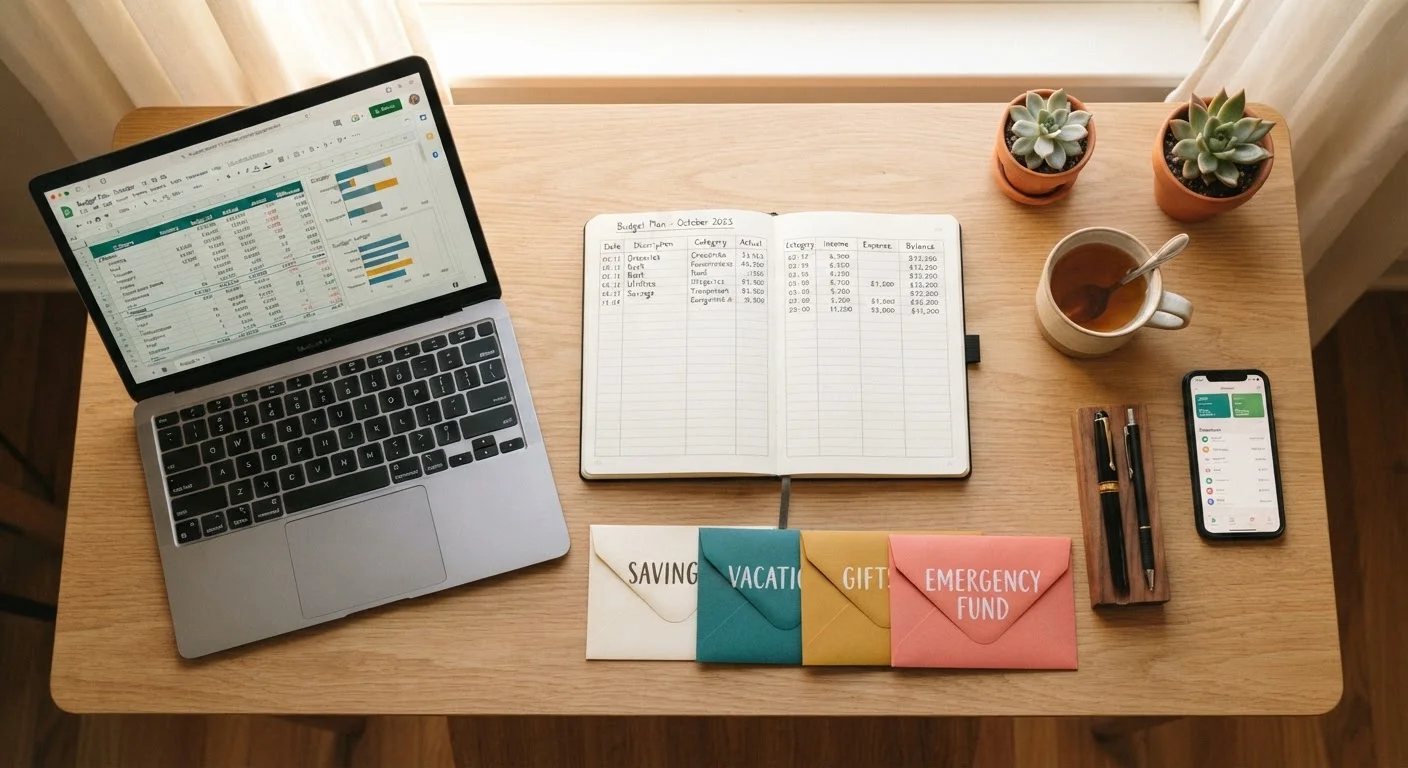
Each tracking method has real strengths and real trade-offs. Manual methods build deeper awareness of where money goes; automated tools reduce friction and time. The right choice depends on how you handle money day-to-day, how much privacy matters to you, and whether you're more motivated by control or convenience.
| Best for | Recommended |
|---|---|
| Those who want maximum awareness and spend mostly in cash | Pen-and-paper ledger or envelope system |
| Those comfortable with technology who want customization without app fees | Spreadsheet tracking |
| Those juggling multiple accounts who need automation to stay consistent | Digital budgeting app |
| Those prone to overspending in specific categories | Envelope system (physical or digital) |
Why Your Tracking Method Shapes Your Results
Budgeting gets a lot of bad press - often because people try a method that clashes with their actual habits and then conclude budgeting itself doesn't work. In reality, the format matters just as much as the math. If you want to move past common budgeting misconceptions, recognizing that tracking styles are personal is the first step.
Research in behavioral economics consistently shows that people underestimate discretionary spending by 30-40% when relying on memory alone. A tracking system - any system used regularly - closes that gap. The four most widely used methods are: pen-and-paper ledgers, spreadsheets, the envelope system, and digital apps. Each has a different relationship with effort, visibility, and behavioral accountability.
Pen-and-Paper: Slow, Intentional, and Surprisingly Effective
Writing expenses down by hand forces a brief moment of reckoning every time you spend. Studies on handwritten notes suggest the physical act improves retention and awareness - the same principle applies to spending logs. You notice patterns you'd otherwise scroll past.
How it works: Keep a small notebook or printed ledger. At the end of each day (or right after spending), record the amount, category, and merchant. Tally weekly totals against your monthly category limits.
Best for: People who prefer offline tools, those new to budgeting who want to build foundational awareness, and anyone without reliable internet access.
Main limitation: It breaks down fast if you miss a few days. There's no automation, no alerts, and no backup if the notebook is lost. It also requires manual math when reconciling totals.
Start With One Category, Not Everything
If pen-and-paper tracking feels overwhelming at first, pick just one problem spending category - dining out or groceries, for example - and track only that for 30 days. The focused insight is often enough to shift habits, and it builds the logging routine before expanding to your full budget.
Spreadsheets: Flexible Control Without Monthly Fees
A well-structured spreadsheet sits between the discipline of manual tracking and the convenience of apps. You enter your own data - which preserves awareness - but formulas handle the math automatically. You can build exactly the categories you need, track multiple accounts side by side, and run month-over-month comparisons without paying for a subscription.
How it works: Set up columns for income, fixed expenses, variable spending categories, and savings. Enter transactions regularly (daily or weekly works better than monthly catch-up). Use simple SUM formulas to track remaining balances per category.
Best for: People who are comfortable with basic spreadsheet tools, those who want a customizable system without sharing bank credentials, and anyone tracking irregular income streams.
Main limitation: Setup requires upfront effort, and manual entry is still needed - the friction is lower than pen-and-paper but not zero. Spreadsheets also don't send alerts when you're nearing a category limit.
Once you've landed on a format, the end-of-month budget audit checklist is a practical complement that helps you use the data you've collected.
| Pen & Paper | Spreadsheet | Envelope System | Digital App | |
|---|---|---|---|---|
| Setup effort | Low | Medium | Low | Low |
| Ongoing time required | High (daily manual entry) | Medium (regular entry) | Low-Medium | Low (auto-import) |
| Works for digital spending | Yes | Yes | Partially | Yes |
| Privacy / no credential sharing | Full privacy | Full privacy | Full privacy | Credentials shared |
| Spending alerts | None | Manual only | Visual (empty envelope) | Automated |
| Cost | Near zero | Near zero | Near zero | Free-$15+/month |
| Best behavioral benefit | Awareness via friction | Customizable control | Hard spending limits | Real-time visibility |
The Envelope System: Hard Limits That Actually Stick
The envelope system is one of the oldest budgeting methods and still one of the most psychologically effective. You divide your cash budget into physical envelopes labeled by category - groceries, gas, dining out, entertainment. When an envelope is empty, spending in that category stops for the month.
How it works: After each paycheck, withdraw cash and distribute it into envelopes according to your budget plan. Spend only from the relevant envelope for each purchase. At month's end, unspent cash can roll over or be redirected to savings.
Best for: People who tend to overspend in specific categories, those who find digital numbers abstract and prefer something physical, and anyone who relies heavily on cash transactions.
Main limitation: It's impractical if most of your spending is digital - online bills, subscriptions, and card-only merchants don't fit neatly into physical envelopes. Some people use a hybrid approach, keeping a virtual tally for non-cash categories while using physical envelopes for variable spending.
For readers focused on spending with purpose, the envelope system's built-in constraints can be a powerful behavioral guardrail.
Digital Apps: Automation With Trade-Offs
Budgeting apps connect directly to your bank and credit card accounts, categorizing transactions automatically and displaying spending summaries in real time. The core appeal is reduced friction - you don't need to log every coffee purchase manually.
How it works: After linking your accounts, the app imports transactions and sorts them into categories. Most apps allow you to set category limits and will notify you when you're approaching them. Some use a zero-based budgeting framework; others mirror traditional category tracking.
Best for: People with multiple accounts or credit cards, those with busy schedules who won't maintain manual records consistently, and anyone who wants real-time alerts.
Main limitation: You share bank login credentials or read-only access tokens with a third-party service - a privacy and security consideration worth understanding before connecting accounts. Auto-categorization also makes mistakes that require periodic correction; left unchecked, miscategorized transactions distort your picture. Apps may also carry monthly subscription costs.
Regardless of which method you choose, the complete guide to smart spending offers a broader framework for putting that data to work.
This article provides general financial education only and is not personalized financial advice. Consider consulting a qualified financial professional for guidance specific to your situation.